

IntelliJ IDEA/Golang
Following the steps that should be executed from the root dir of your operator project.
# Export the ENV VAR WATCH_NAMESPACE
$ export WATCH_NAMESPACE={{mynamespace}}

# Create the namespace which the operator will be deployed
$ kubectl create namespace {{mynamespace}}

# Install the CRD's of your operator project
$ kubectl create -f deploy/crds/myoperator_v1alpha1_kind_crd.yaml

# Go to the dir where has the main.go file
$ cd cmd/manager/

# Run the following command
$ dlv debug --headless --listen=:2345 --api-version=2
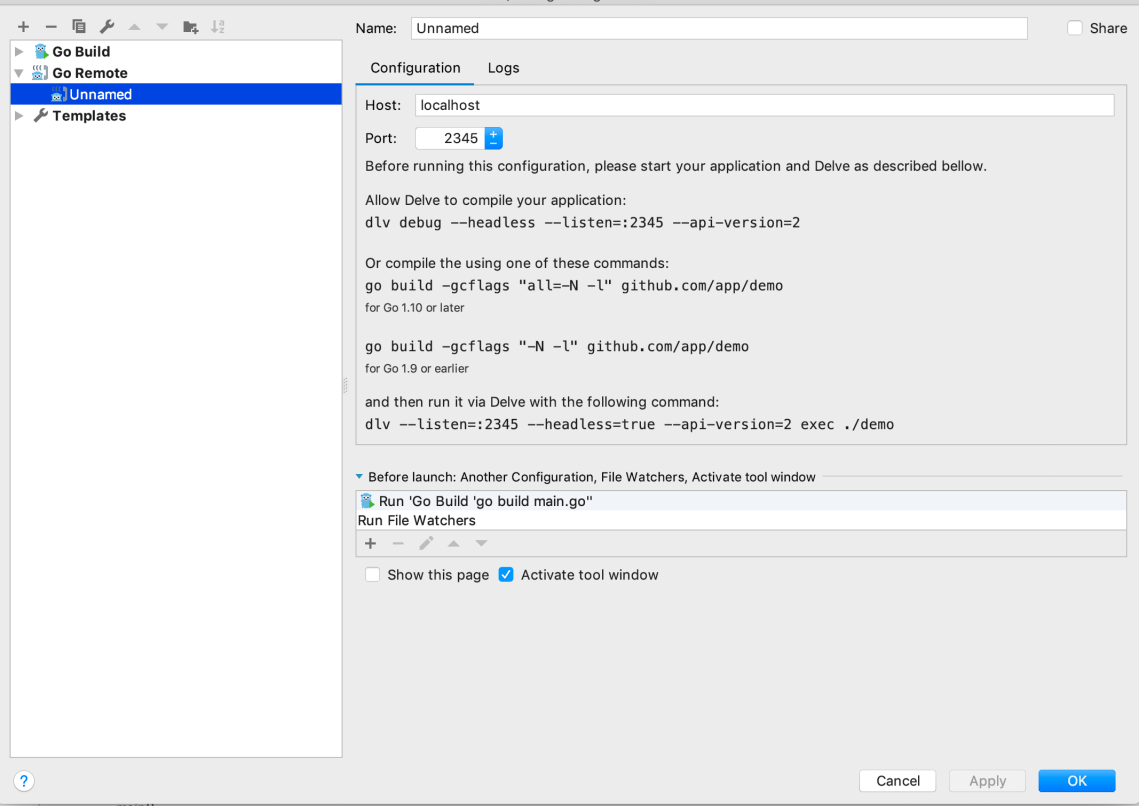
In the IDEA you should set up and use the option “Go remote” as follows.
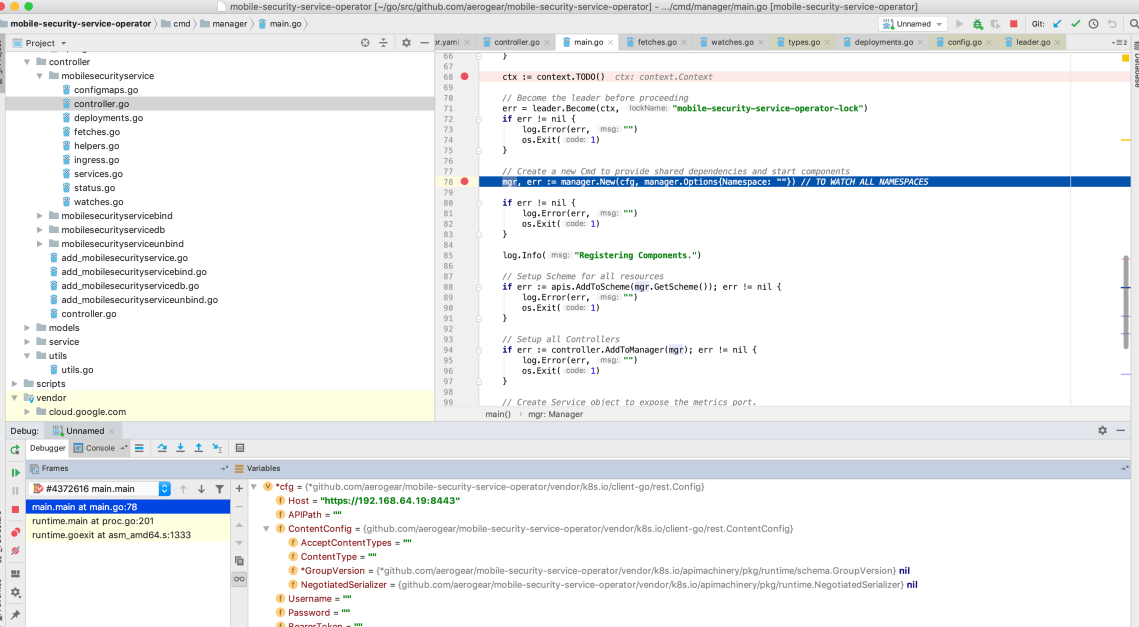
Now, you can just run and you will be able to debug it. Following an example.
Visual Code
Following the steps that should be executed from the root dir of your operator project.
# Export the ENV VAR WATCH_NAMESPACE
$ export WATCH_NAMESPACE={{mynamespace}}

# Create the namespace which the operator will be deployed
$ kubectl create namespace {{mynamespace}}

# Install the CRD's of your operator project
$ kubectl create -f deploy/crds/myoperator_v1alpha1_kind_crd.yaml

# Run the following command
$ dlv --listen=:2345 --headless=true --api-version=2 exec ./build/_output/bin/{{my-operator}}-local  --
Debug the project using the following Visual Code launch config.
{
    // Use IntelliSense to learn about possible attributes.
    // Hover to view descriptions of existing attributes.
    // For more information, visit: https://go.microsoft.com/fwlink/?linkid=830387
    "version": "0.2.0",
    "configurations": [
        {
            "name": "test",
            "type": "go",
            "request": "launch",
            "mode": "remote",
            "remotePath": "${workspaceFolder}/cmd/manager/main.go",
            "port": 2345,
            "host": "127.0.0.1",
            "program": "${workspaceFolder}",
            "env": {},
            "args": []
        }
    ]
}
NOTE: In order to get the latest changes you need to build the project.

 www.Dev4Devs.com